
For Chicago real estate agents
Talk about schools like you grew up in the neighborhood.
SchoolNav for real estate agents enables you to bring the most differentiated local school knowledge to your clients with your brand right at the top of the page. Create client links with pre-loaded property addresses, map to local schools, and side-by-side comparisons of over 35 school data points.
Whether you know the area or not, this asset allows you to sound like a neighbor and help buyers understand why you are the only one for their property search needs.

More than half of buyers with kids say the schools drive the home decision.1
In Chicago the question comes with a lottery, a tier and a boundary attached. This is what you bring to the conversation.
- Speak knowledgeably about the fit for their kid, not just test scores.
- Every school in the side-by-side carries what its own students and teachers report about safety, support and belonging, in addition to attendance, the low-income share and the state test averages. You can talk about how a school feels for a child, not only how it scores.
- “If we changed our minds, are there other good school options in the area?”
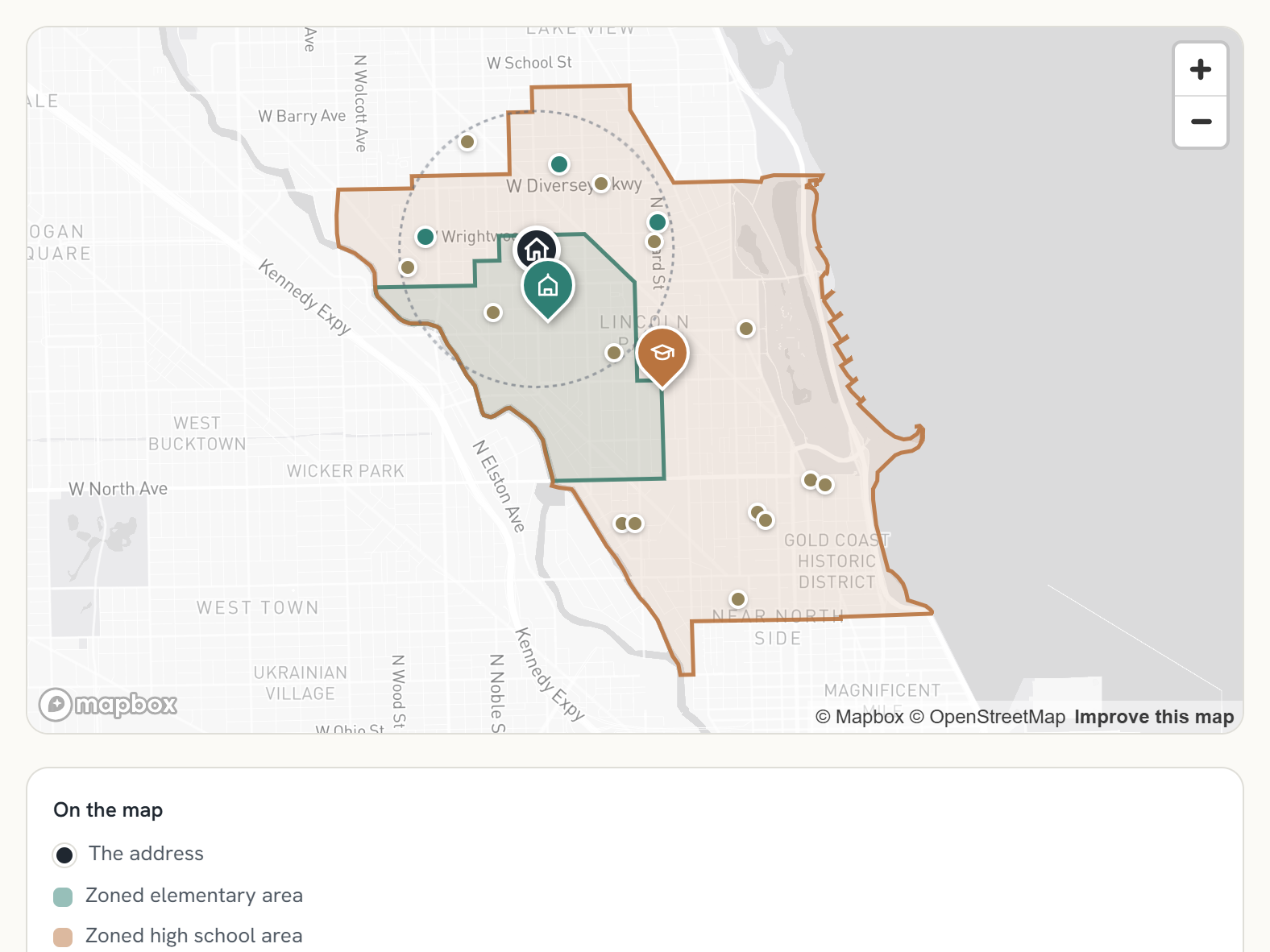
- The map shows every public and private school within a 15 to 20 minute walk of the address. Below it, buyers drill into private tuition where the school publishes it, and compare the public schools’ performance line by line.
- Offer personalized discussions to each client.
- Each client gets their own page with their addresses preloaded, to read on their own time or on a call with you. The page also answers how a family transfers into a CPS school from inside or outside the district.
How it works
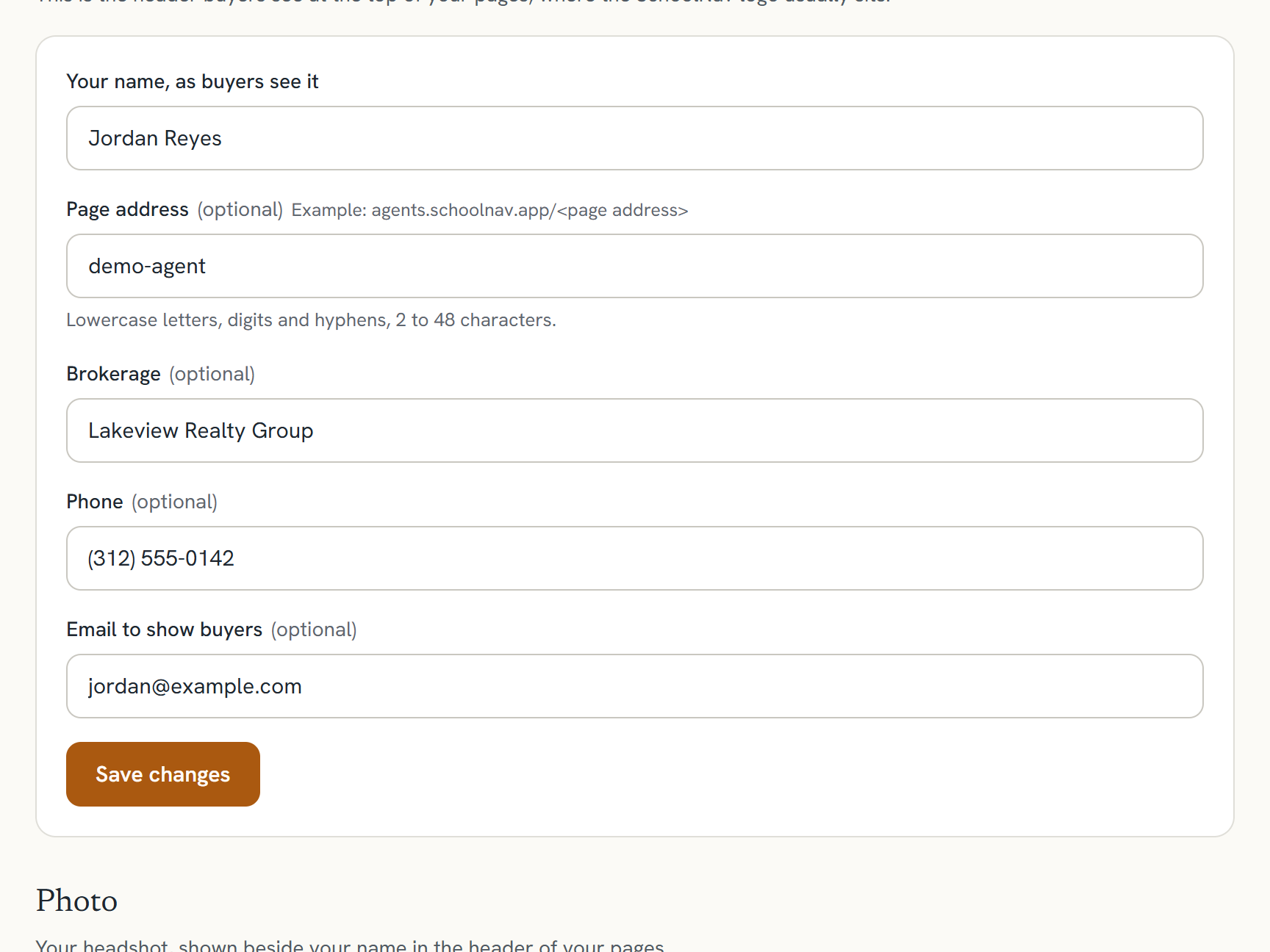
Create an agent account
Your name, brokerage and contact details, then your photo. It takes about ten minutes, and the page carries your name from the first minute.
Create an agent account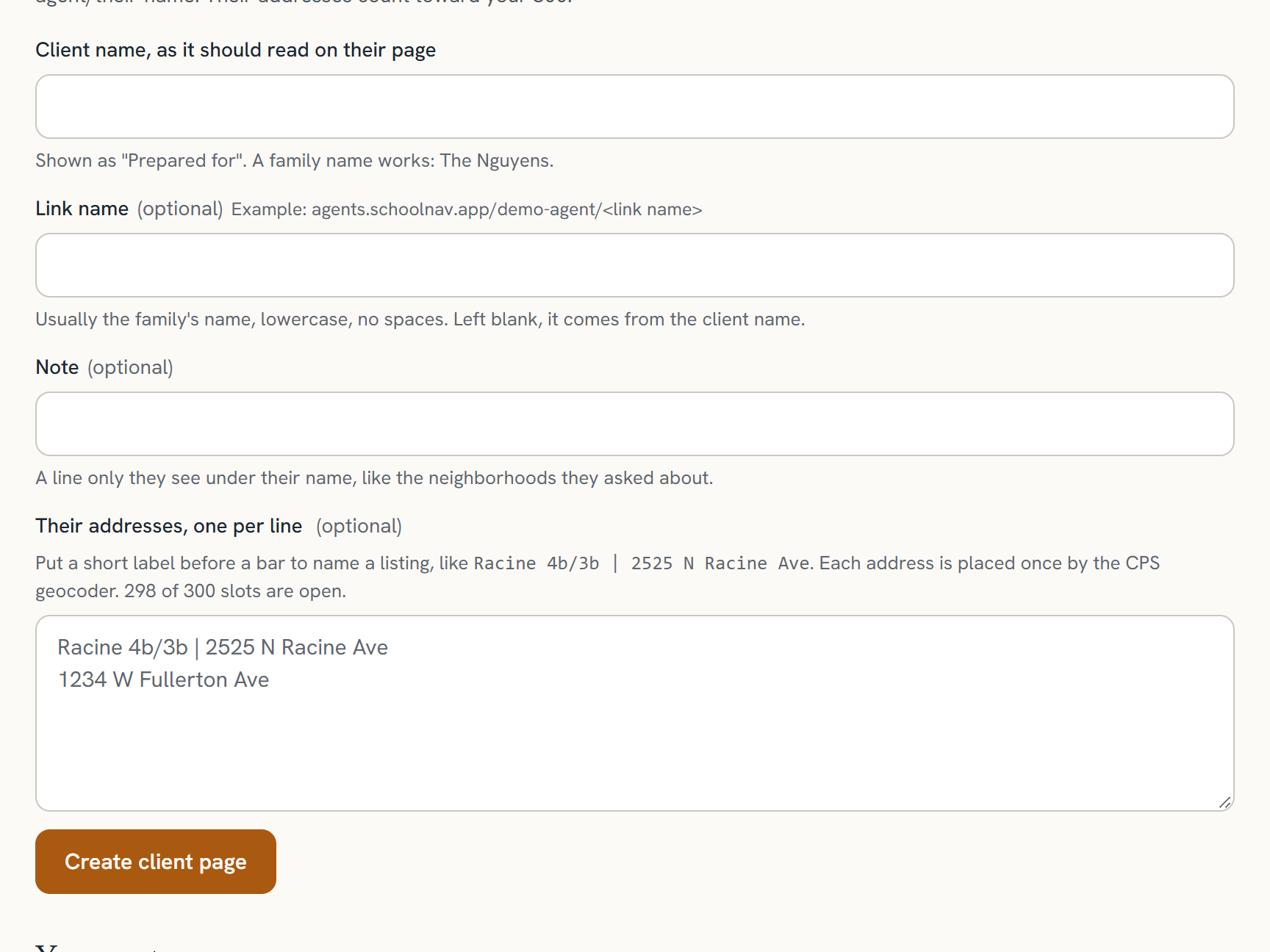
Set up pages for clients
Paste a client’s addresses once. Each one is placed by the CPS geocoder and gets a short link for the showing sheet. Or leave your page open to any typed address.
Dazzle clients with your knowledge
Open the page on a call or at a showing. The zoned schools, the walkable ones and the private options sit on one map, with the facts behind each one a tap away.
Share the custom pages for buyers’ offline review
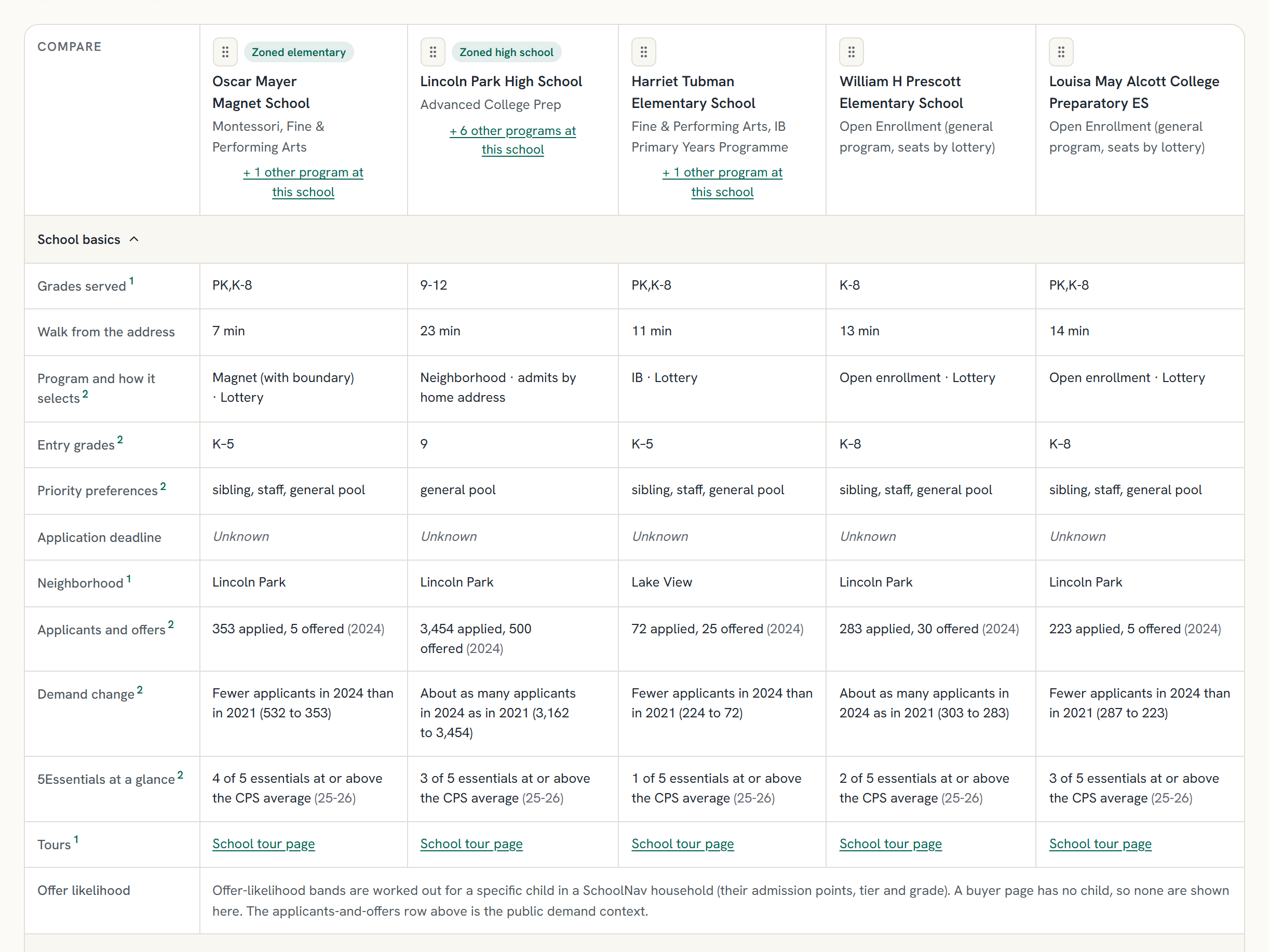
Send the link. Buyers read it on their own time, drag the columns into their own order, and come back to you with better questions.
What your buyers see
What a move would cost each year
The buyer’s current home next to yours: property tax plus a school for each child at each home, public or a named private school with its published tuition. A city home with private school against a suburb with public school, a year and over the years the children are in school.
Zoned schools on a map
The neighborhood elementary and high school areas, drawn from the CPS attendance boundaries, with the address pinned inside them and a distinct pin for each zoned school.
Every CPS school within a 20 minute walk
A 0.7 mile circle, with the real walking time to each school on the map and in the table.
A side-by-side buyers can read
Columns are school and program. Rows are grades, how the program selects, priority preferences, applicants and offers, 5Essentials, state test averages, and tours. Buyers add a school, open its other programs, and drag the columns into their own order.
Your listings, preloaded
Paste your addresses once. Buyers pick a listing from a dropdown and the page is ready. Each listing has its own short link.
Private schools nearby
Listed on the map with tuition when the school publishes it, so the buyer sees every option in reach.
Resources for school transfers & applications
A moving family can start a free SchoolNav household from your page with the address already filled in, and read the steps to transfer into a CPS school from inside or outside the district. You see how many did.
Pricing
One price per agent, everything included. Pay monthly or yearly; yearly is two months free. No trial; the demo page and a walk-through instead. Your seat starts at checkout, and the page setup takes ten minutes after.
Pro
One agentOne agent. Your branded page, 300 preloaded addresses, share links and printing.
$299a month
or $2,990 a year
- Your branded buyer page at agents.schoolnav.app/your-name
- 300 listing slots for preloading properties by address or alias
- Unlimited typed addresses for your buyers
- A page per client at agents.schoolnav.app/your-name/their-name
- Move cost compare: a buyer’s current home against yours, property tax plus each child’s school, for you and your buyers
- Share links and printing for showing sheets
- Every fact with its source and verified date
Team
Five or more agentsFive or more agents at one brokerage or team, each with their own page. Priced per seat.
$225a seat a month
or $2,250 a seat a year
- Everything in Pro, for each agent on the team
- One bill for the brokerage or team
- Each agent keeps their own page and listings
- Five seats a year is about one closing side’s gross
More listings. Packs of 100 extra preloaded addresses for $30 a month or $360 a year, added at checkout or later.
Refunds. Any first payment, monthly or yearly, is refundable in full for 30 days, no questions. After that, cancel anytime: monthly stops at the period end; yearly keeps access to the end of the term.
Wrong fact? Tell us. A reported boundary or program error is corrected and you are told when, with the new verified date on the page.
Set up your page in ten minutes
Start your seat, then add your name, photo and your first client’s addresses. Or ask for a walk-through first.
SchoolNav is not affiliated with Chicago Public Schools. Zoned schools come from the CPS attendance boundaries on file; families verify any decision in GoCPS.
- 1National Association of Realtors, 2025 Profile of Home Buyers and Sellers (November 2025): the share of buyers with children under 18 who named the quality of the school district as a factor in choosing a neighborhood. nar.realtor